
Intranet integrations: connecting Workday and the enterprise digital workplace

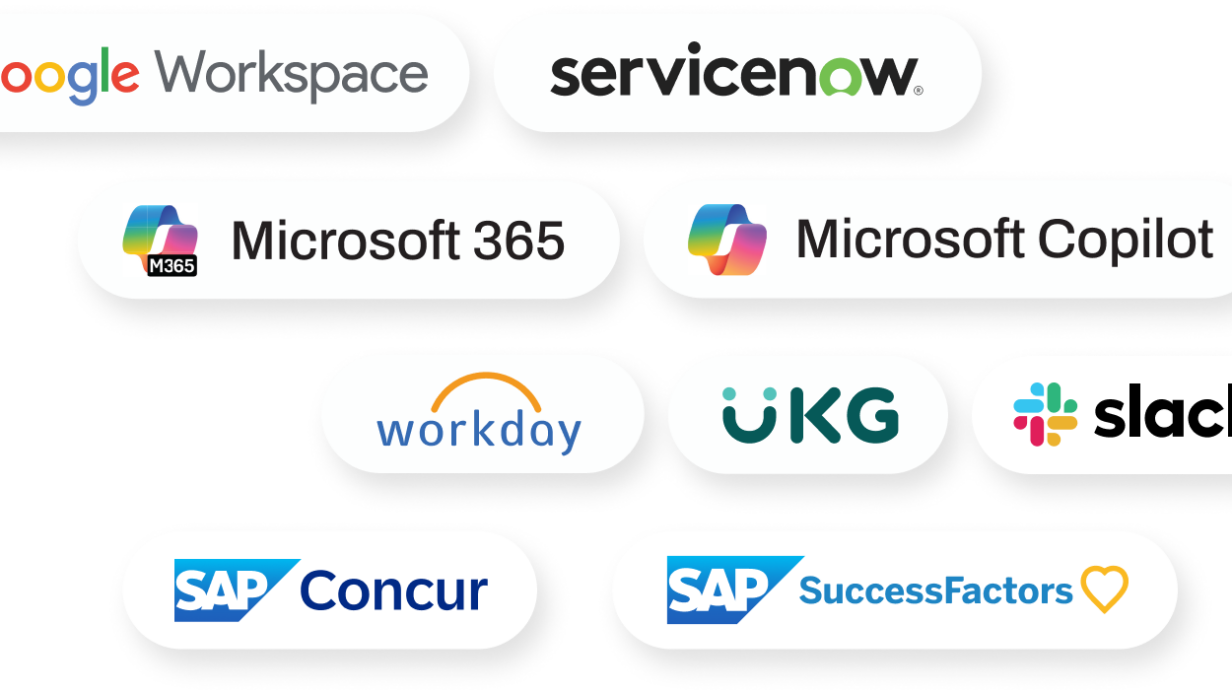
Intranet integrations are entering a new era as agentic AI rapidly expands what’s possible within the digital workplace. Beyond connecting employees to enterprise applications, the opportunity is to bring knowledge, business systems, and workflows together in one actionable location.
In this article, Nick Morfidis, Content Marketing Executive at Interact Software, explores how intranet integrations work, using Workday as a practical example, and what enterprises should consider when evaluating an integrated employee experience platform.
Summary: Intranet integrations connect enterprise applications through application access, embedded information, and transactional workflows. Interact’s Workday integration enables employees to view real-time notifications, access PTO information, and submit time-off requests while Workday remains the system of record. Agentic AI extends these capabilities by enabling conversational interactions with connected enterprise systems.
What are intranet integrations?
Intranet integrations connect an organization’s intranet with third-party applications, enterprise data, and business processes. They enable employees to access tools, view tailored information in real time, and complete supported tasks through a single digital workplace, while existing enterprise applications continue to perform their specialist functions.
Large organizations rarely have the luxury of building their technology ecosystem from scratch. Years of investment in human capital management (HCM), enterprise resource planning (ERP), collaboration, and IT service management platforms have created complex environments where each system serves a distinct purpose.
The challenge therefore appears to be the experience of moving between technologies – not the technology itself.
An effective intranet integration strategy connects three fundamental areas of the employee experience:
- Tool access: Bringing enterprise applications together through a personalized digital front door.
- Self-service: Enabling employees to independently complete everyday HR and IT tasks.
- Knowledge: Connecting information from different business systems with organizational policies, resources, and guidance.
Rather than replacing specialist applications, the intranet becomes the experience layer that brings them together under one roof. Employees gain a more consistent digital workplace, and enterprises can build on the technology investments they’ve already made.
How do intranet integrations work?
Intranet integrations typically use application programming interfaces (APIs), authentication protocols, and prebuilt or custom connectors to exchange information between platforms. Depending on the integration’s capabilities, employees can launch applications, retrieve personalized data, or initiate transactions directly from the intranet.
However, not all integrations deliver the same experience. When evaluating intranet software, it’s helpful to distinguish between three levels of integration depth.
| Integration type | How it works | Employee experience |
| Application access | Application links and single sign-on (SSO) | Open an enterprise application with fewer authentication steps |
| Embedded information | APIs and widgets display information from connected systems | View PTO balances, notifications, and outstanding tasks |
| Transactional workflows | Connectors initiate supported actions in external systems | Submit an HR request or initiate an IT service request |
Each level serves a purpose. An application shortcut may be perfectly adequate for a specialist tool employees use occasionally. For frequently performed tasks, however, an embedded or transactional integration can deliver considerably more value.
Interact’s enterprise integrations and APIs support more than 100 integrations, alongside an open API framework and Application Developer Kit (ADK) for building custom integrations and widgets.
This combination is particularly important for large enterprises with established technology ecosystems. Prebuilt connectors address common requirements, while extensibility provides flexibility for organization-specific applications and workflows.
How does intranet integration with Workday work?
An intranet integration with Workday connects employees with supported HR information, notifications, and workflows within their everyday digital workplace. Workday remains responsible for its underlying HR processes, while the intranet provides an additional, accessible interface for interacting with them.
The scale of Workday adoption makes this a particularly relevant integration for enterprise organizations.
According to Workday’s own company figures, the platform serves:
For organizations that have invested in Workday, the question becomes how to bring that investment closer to employees’ everyday working habits.
How does Interact connect to Workday through APIs?
Interact’s Workday integration uses a Workday REST API client and OAuth 2.0 authorization to establish a secure connection between the two platforms. Configuration requires an Interact Power User account with Marketplace access and a Workday administrator or integration-enabled account. Administrators register an API client within Workday before configuring the integration through Interact’s Marketplace.

The integration uses configurable API scopes, allowing organizations to define the areas of Workday the integration can access. For example, the Tenant Non-Configurable and Staffing scopes support access to inbox tasks, while the Time Off and Leave scopes support PTO and absence-management functionality.
This approach enables enterprises to configure the integration around their requirements, scale operations as the system evolves and reduce the IT burden while retaining Workday as the underlying system of record for HR data and processes. Further technical details are available in Interact’s Workday integration documentation.
Bringing HR self-service into the intranet
Interact’s Workday integration brings supported HR information and activities into the employee experience platform, including:
- Paid time off (PTO) information: Displaying employees’ PTO information directly within the intranet through a dedicated widget.
- Real-time notifications: Surfacing notifications from Workday within the intranet, helping employees stay informed without having to check multiple platforms.
- Workday inbox tasks: Bringing visibility of outstanding HR tasks into employees’ everyday digital workplace.
- Time-off requests: Enabling employees to submit PTO requests directly from the intranet homepage, as introduced in Interact’s Spring 2026 product release.
Consider an employee planning a vacation. Their organization’s leave policy might be published on the intranet, while their individual entitlement and request process sit within Workday.
Connecting these experiences brings the policy, personal information, and supported action into the same digital environment.
Importantly, this doesn’t mean recreating Workday’s HR infrastructure inside the intranet. The underlying system continues to manage the transaction and applicable business processes.
That’s the distinction enterprise leaders should look for when assessing employee self-service software: an experience that simplifies access without unnecessarily duplicating the systems responsible for managing sensitive employee data and business rules.
Beyond Workday: building an integrated digital workplace
An integrated digital workplace connects multiple enterprise applications according to the needs of different employee groups. While Workday supports HR processes, integrations with collaboration, knowledge management, and IT service platforms extend the intranet’s role across the organization.
An intranet integration with Microsoft 365, for example, connects the employee experience with familiar productivity and collaboration tools. Connecting these environments means organizations don’t have to treat their intranet and Microsoft ecosystem as competing investments.
The following examples illustrate potential intranet integration use cases across common enterprise applications.
| Enterprise system | Primary function | Potential integration cases |
| Workday | Human capital management | HR notifications, PTO information, and requests |
| Microsoft 365 | Productivity and collaboration | Documents, knowledge, and collaboration tools |
| ServiceNow | IT and enterprise service management | Service requests and connected knowledge |
| UKG | Workforce and HR management | Workforce information and HR services |
| SAP SuccessFactors | Human capital management | Employee information and HR services |
These examples illustrate general integration opportunities rather than a definitive list of Interact’s connector capabilities. Supported functionality depends on the individual integration, API permissions, and configuration.
For enterprises operating across multiple countries, business units, and employee populations, an adaptive intranet is equally important. A frontline employee and a corporate finance manager may need very different tools, but both should benefit from a consistent, governed employee experience free from engagement barriers.
The objective isn’t to put every application on everyone’s homepage. It’s to bring the right capabilities into each employee’s working environment.
How is agentic AI transforming intranet integrations?
Agentic AI extends intranet integrations beyond displaying information by enabling AI systems to initiate supported actions across connected applications. Instead of navigating individual interfaces, employees can interact with enterprise workflows using natural language, subject to the system’s permissions and controls.
Imagine an employee asking their intranet:
“I’d like to take next Friday off. Can you help me book it?”
With the appropriate integration in place, an AI assistant can help translate that intention into a structured request.
In Interact, Cue brings conversational interactions into the employee experience. Its Workday time-off workflow illustrates how employees can review and confirm a request before it’s submitted into the existing HR process.
This represents an important evolution in workplace automation. Rather than requiring employees to understand the navigation and terminology of every business application, the intranet can provide a more intuitive way to interact with them.
Enterprise governance remains fundamental. AI agents need clearly defined capabilities, appropriate authorization, and confirmation mechanisms for consequential actions.
The opportunity isn’t unrestricted automation. It’s making established business processes easier for people to use while maintaining organizational control.
What should enterprises look for in intranet integrations?
Enterprises should evaluate intranet integrations according to their functional depth, security, extensibility, and ability to support real employee workflows. The number of available connectors is useful, but it’s rarely sufficient to determine whether a platform meets an organization’s requirements.
When evaluating an employee experience platform, prioritize these six considerations:
During employee experience platform trials, demos, and proofs of concept, use scenarios from your own organization.
A demonstration of Workday integration is far more meaningful when it reflects your actual HR workflows than when it simply shows that two applications can connect.
FAQs
Why are intranet integrations important for large enterprises?
Intranet integrations help enterprises connect fragmented technology ecosystems without replacing existing business applications. By bringing tools, information, and supported workflows into a unified employee experience platform, organizations can reduce unnecessary application switching, encourage adoption of existing technology investments, and create more accessible self-service experiences.
What is the difference between an API and an intranet integration?
An API defines how software applications communicate and exchange information. An intranet integration uses mechanisms such as APIs, authentication protocols, and connectors to deliver functionality within the employee experience. An API provides the technical connection, while the integration determines how employees interact with the connected system.
Can employees use Workday without leaving their intranet?
An intranet integration with Workday can allow employees to access supported HR information and complete specific tasks without opening Workday separately. Interact, for example, supports submitting PTO requests from the intranet homepage. More complex HR activities may still require employees to access Workday directly, depending on the integration’s capabilities.
How does intranet integration with Microsoft 365 complement Workday integration?
An intranet integration with Microsoft 365 connects productivity, collaboration, and knowledge resources, while Workday integration connects supported HR information and processes. Together, they help enterprises create an integrated digital workplace where employees can access different business capabilities through a consistent experience without replacing their underlying applications.
Can agentic AI perform actions through intranet integrations?
Yes. Agentic AI can initiate supported actions through connected enterprise applications where appropriate integrations, permissions, and governance mechanisms exist. Examples include conversational time-off requests and other configured employee workflows. Enterprises should verify supported transactions, confirmation requirements, and approval processes before implementing AI-powered automation.
You Might Also Like
 Blog
AI agents for employee experience: how agentic AI is changing the workplace
AI agents for employee experience are rapidly expanding what’s possible in the digital workplace. As agentic AI evolves, enterprises have an opportunity to bring…
 News
Interact Software ranked No.7 on the E2E 100 Tech 2026 as one of the UK’s fastest-growing tech businesses
Earned through data, with no applications and no entry fees, the E2E 100 puts the spotlight on British tech scale-ups. Interact Software has been…

 Blog
The future of intranets: How workplace automation turns answers into action
The future of intranets will go beyond finding information and answering questions. AI-enabled workplace automation now lets employees complete workplace tasks from start to…

 Blog
Best intranet employee experience platforms for enterprise teams in 2026
Comparing seven leading intranet platforms for better employee experience. Choosing the best intranet employee experience software isn’t simply about finding a platform that publishes…