Microsoft 365 integrations
Powerful Microsoft 365 intranet integrations
Interact’s SharePoint solutions elevate your work, from daily intranet integration with Microsoft 365 to bespoke SharePoint intranet solutions.

Book a Demo
Interact uses your information to contact you about our products. You can unsubscribe from our communications at any time. Privacy Policy
A platform built for Microsoft 365 intranet
integrations and SharePoint intranets
Be where you already are
An intranet loved by
Teams – and teams
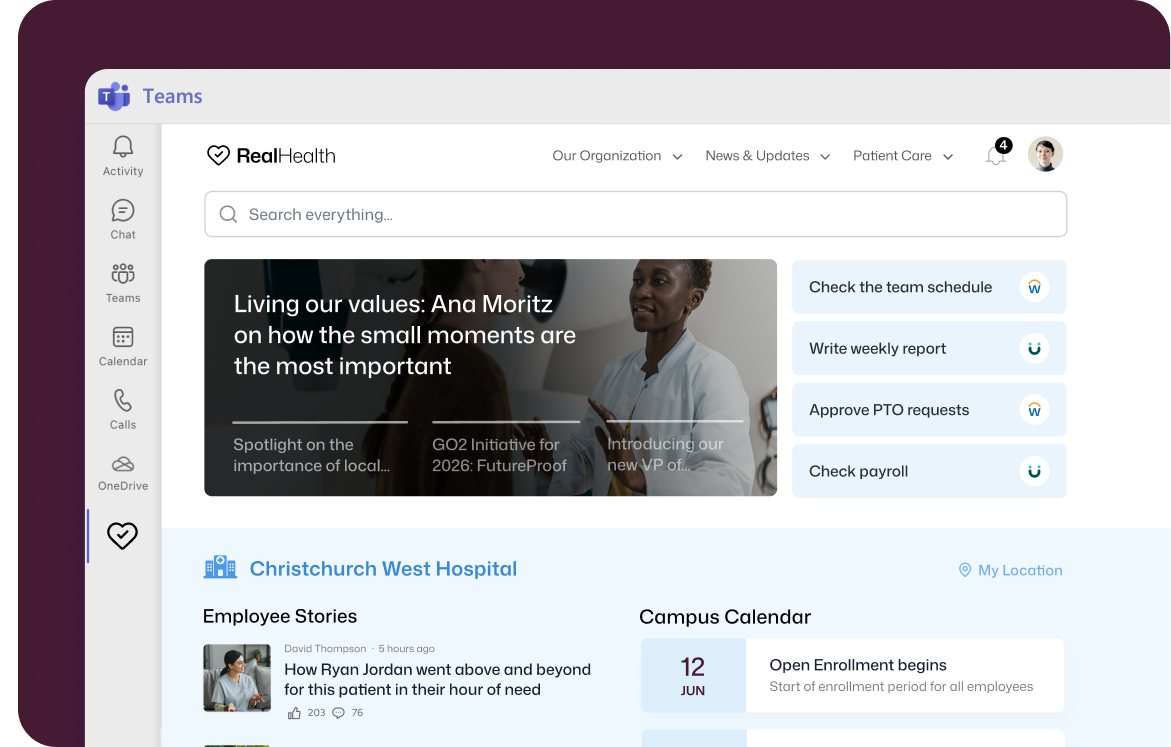
Stop app-switching and streamline your workflow for Microsoft users by integrating your intranet directly into Microsoft Teams.
Keep employees informed with the latest resources, news,
and communications directly within the Teams app – a core part of any Microsoft 365 intranet.
Build connections, boost commitment
Reach employees the
way that works for them
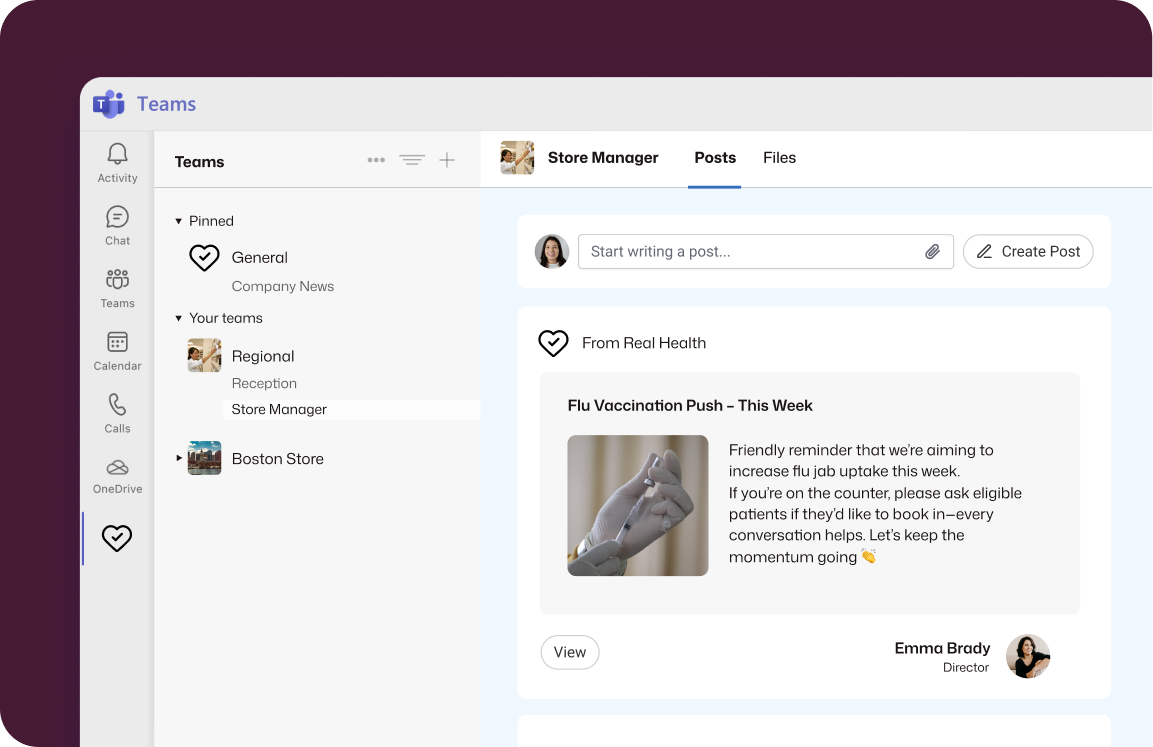
Improve visibility by creating content on your intranet and publishing or scheduling notifications across Teams channels.
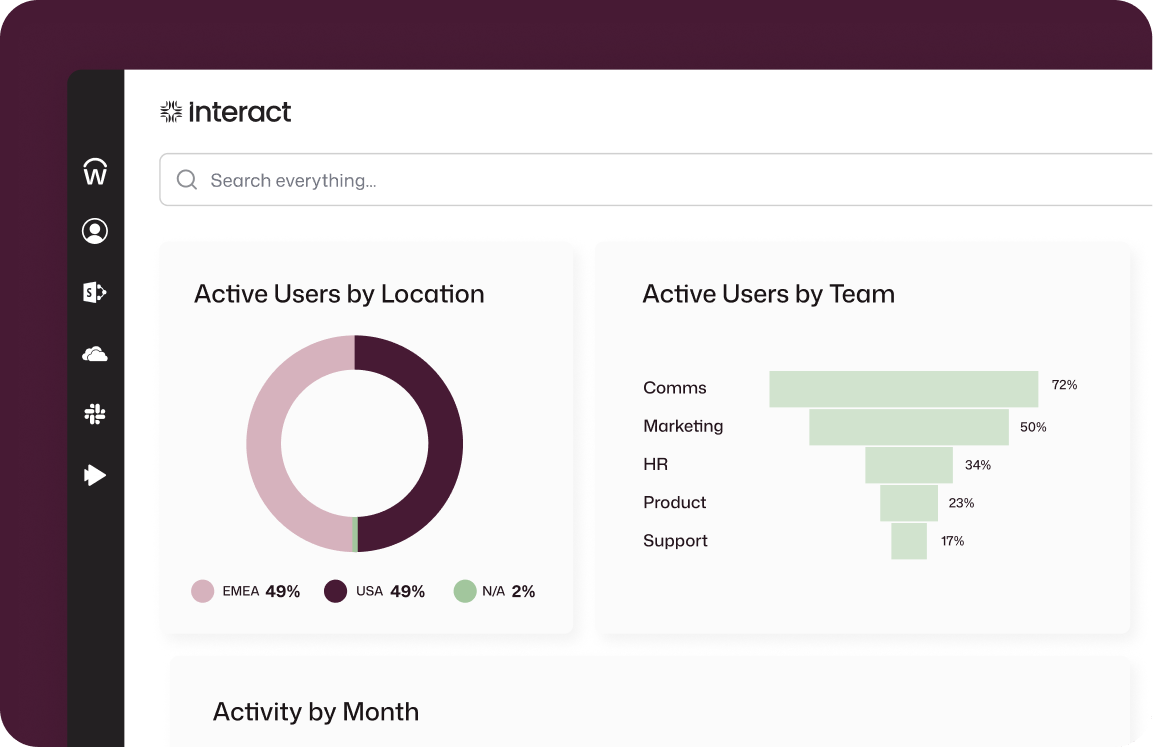
Interact’s data analytics evaluate communication channel efficacy for optimized engagement and impact. It’s what sets the best SharePoint intranet sites apart from basic deployments.
Powerful Microsoft 365 intranet integration
Leverage the intelligence
of Microsoft Power BI
Elevate your business intelligence by integrating Power BI reports directly into your operations. Establish a centralized platform for distributing detailed analyses to essential team members.
Enhance reports on intranet activity by incorporating data from multiple applications, such as Learning Management System (LMS), to provide a richer, more comprehensive view – a standout feature among SharePoint intranet examples.
SharePoint intranet solutions that work for you
Business planning that
builds critical coordination
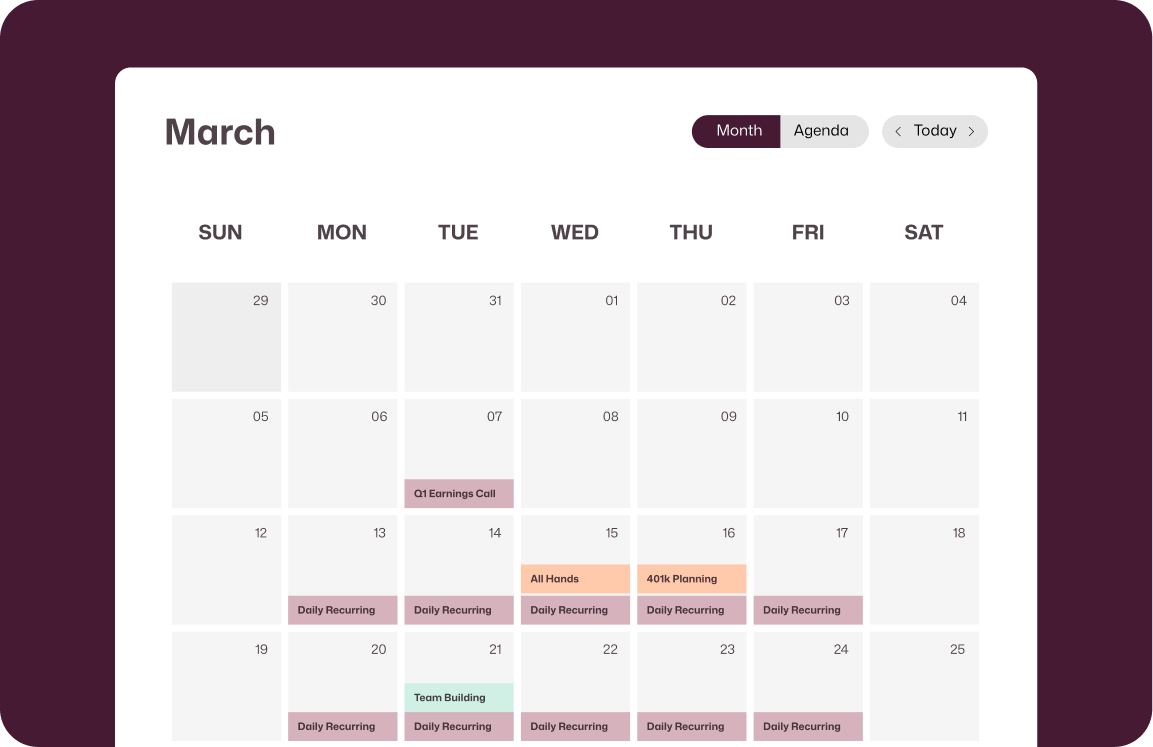
Streamline event coordination by linking Microsoft calendars with your intranet homepage; just one of the SharePoint solutions that connect your everyday tools to a single workspace.
Seamlessly display shared M365 calendars to keep everybody informed, with Microsoft 365 intranet integrations ensuring your tool and intranet work as one, display as one, and sync as one.
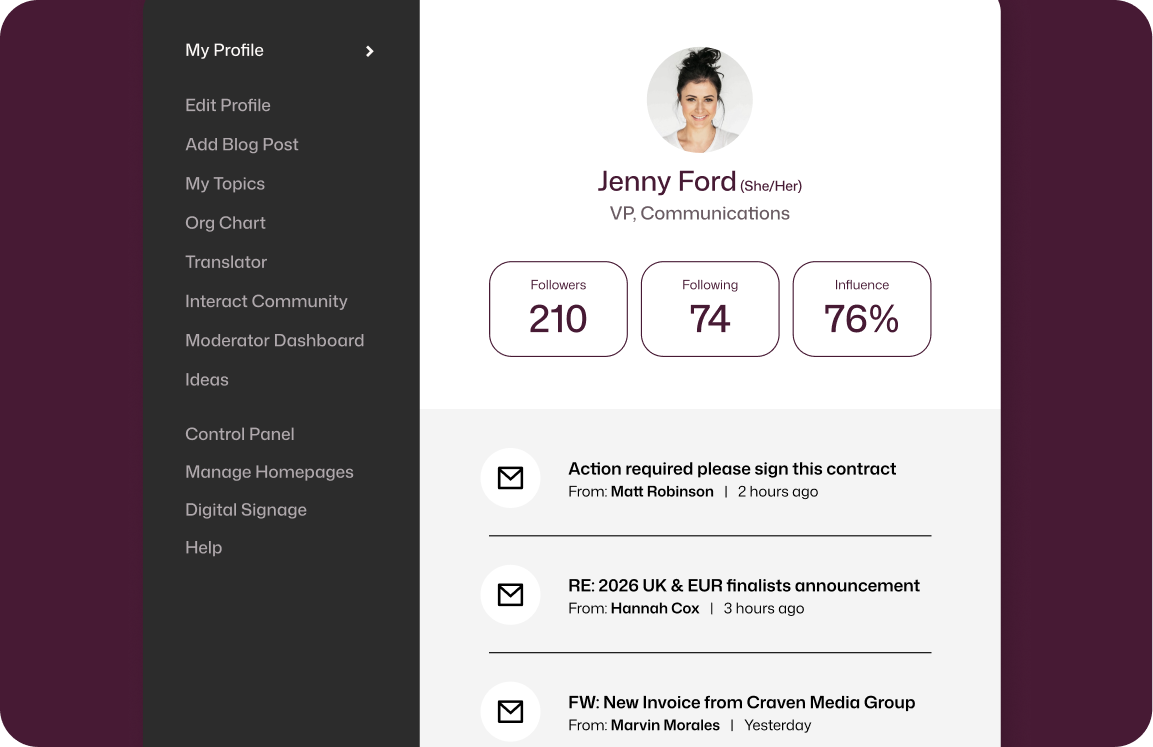
Work orchestration through Microsoft integration
A centralized front door
through Microsoft Outlook
Centralize internal communications via realtime Outlook
intranet integration with Microsoft 365, and enable seamless email management in each user’s profile panel.
With Interact’s SharePoint intranet solutions, your Microsoft 365 intranet becomes the front door for every tool you rely on. That’s what the best SharePoint intranet sites have in common with Interact – one platform, one access, one focus.
FAQs
What does Microsoft 365 intranet integration actually look like day to day?
It means your team stops bouncing between apps. SharePoint documents, Outlook emails, Teams notifications, calendars and to-do lists all surface inside your intranet – so people find what they need without leaving the page they’re already on. Think of it like a control panel for your entire Microsoft 365 environment, but one that’s designed for everyone, not just IT.
Do I need advanced IT skills to set up SharePoint intranet solutions through Interact?
No. The integration with SharePoint Online and OneDrive works out of the box, so document retrieval is fast and frictionless without specialist configuration. If your team can use Microsoft 365, they can use Interact – that’s exactly the point.
How does intranet integration with Microsoft 365 improve internal communications?
In a few ways. You can push or schedule notifications directly to Teams channels whenever you publish or update content, display unread Outlook emails in users’ profile panels, and use Interact’s analytics to see which channels are working.
Can I embed Power BI reports and shared calendars in the intranet?
Yes to both. Power BI reports it directly on top of intranet pages, giving the right people access to business intelligence without separate logins or permission headaches. Outlook calendars work the same way: shared M365 calendars display on your homepage so meeting rooms, company events and team schedules stay visible to everyone who needs them.
Will Interact’s Microsoft 365 intranet integration work directly inside Microsoft Teams?
It will. Your intranet runs as an app within Teams, which means employees get news, resource, and communcations without switching content. For organizations where Teams is already the daily comms driver and hub, it removes one more reason to go looking elsewhere.