Knowledge Base
An employee knowledge base unlocks information
With intelligent automation, an employee knowledge base revolutionizes your path to answers and efficiency.
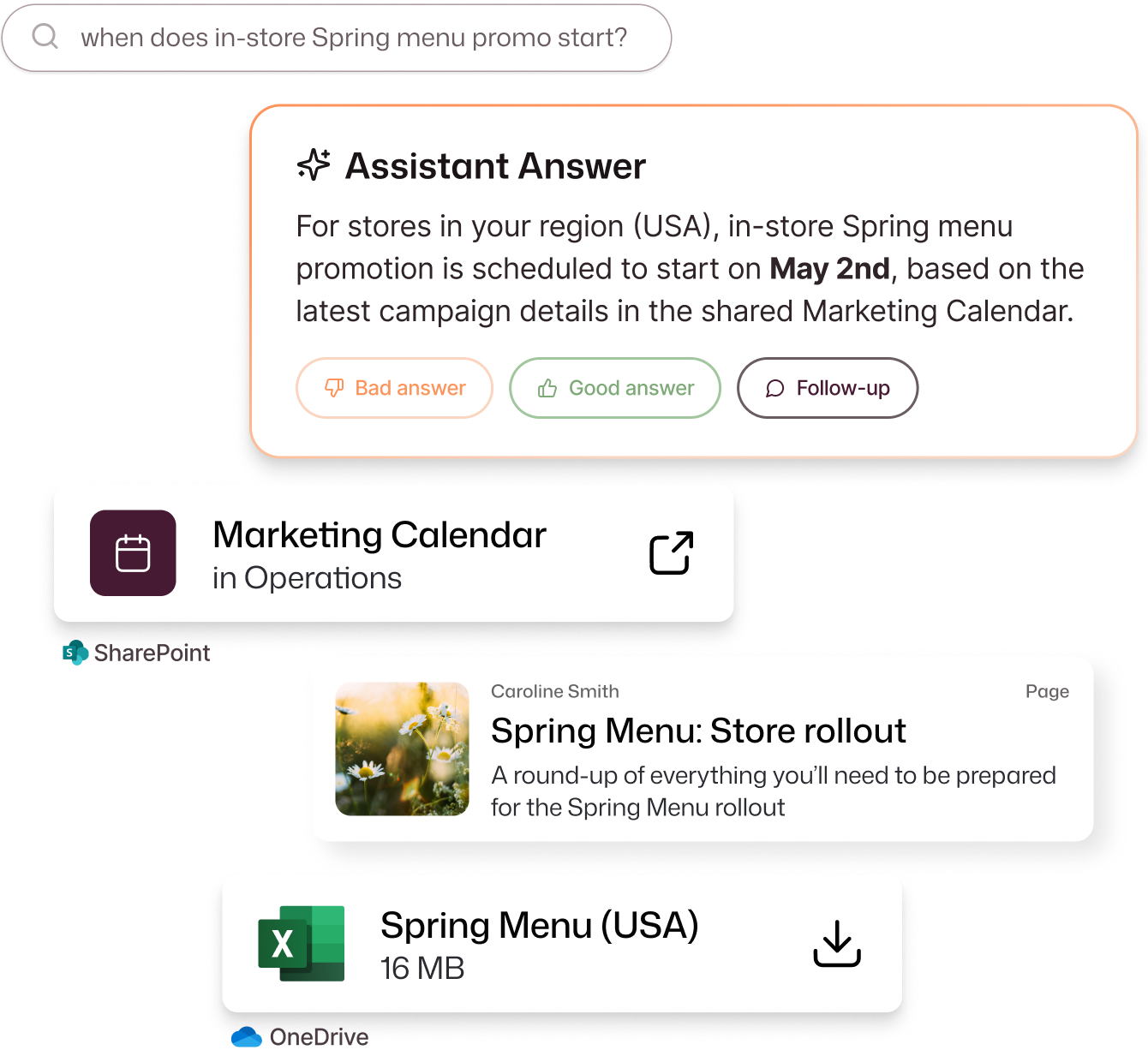
Scattered knowledge slows everyone down
Information friction isn’t just frustrating, it drains productivity and drives up risk. Missed deadlines, duplicate tickets, and compliance gaps all grow without a centralized employee knowledge base. The solution is managing employee knowledge with the right tools.
On-brand immediacy
No more hopping between SharePoint, Google Drive, Microsoft Teams, and Confluence — Interact connects them all to keep every update on-brand with Content Management, while intranet governance ensures accuracy and compliance.
Intelligent automation powers your enterprise knowledge management system to organize content and predict relevance.

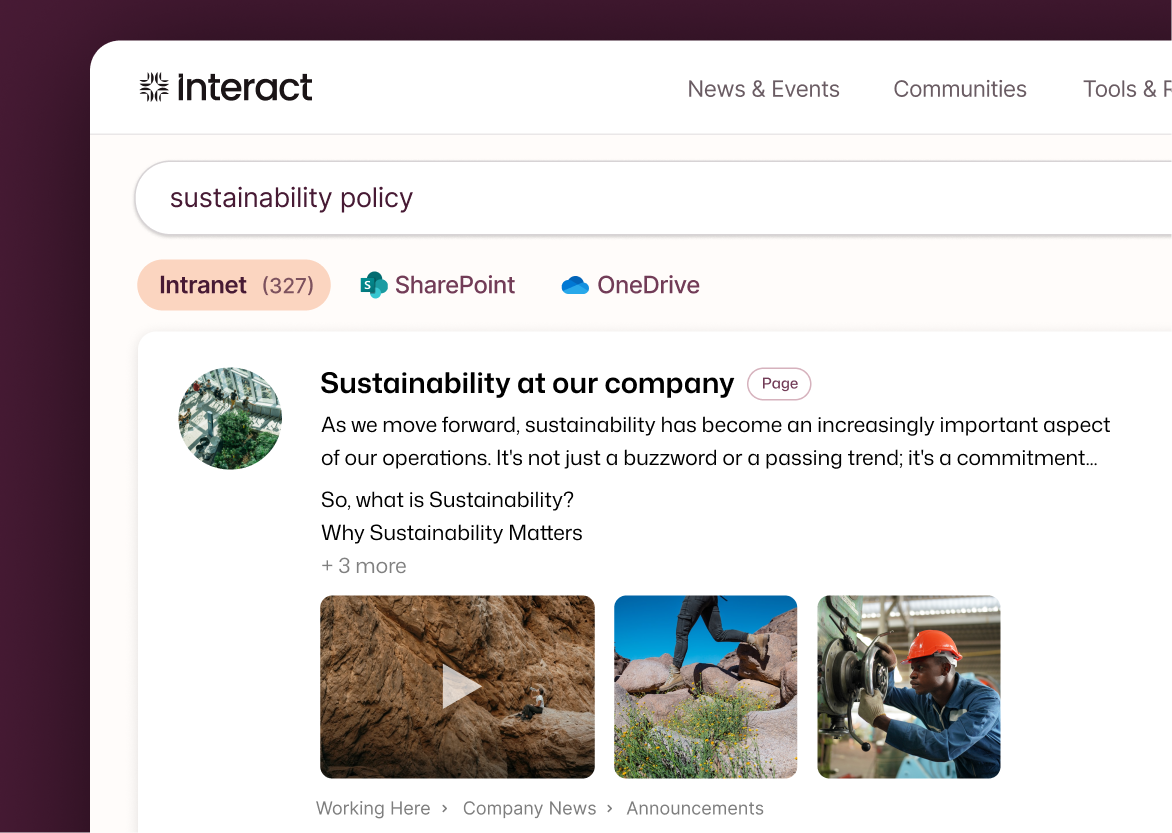
Answers in seconds
Natural language search and instant answers mean employees get clarity fast, with citations providing an additional layer of trust. Intelligent Search delivers precision and Multi-Language Communication Tools clarity.
Smart summarization turns complex queries into actionable answers with advanced tools for managing employee knowledge.
Personal and valuable relevance
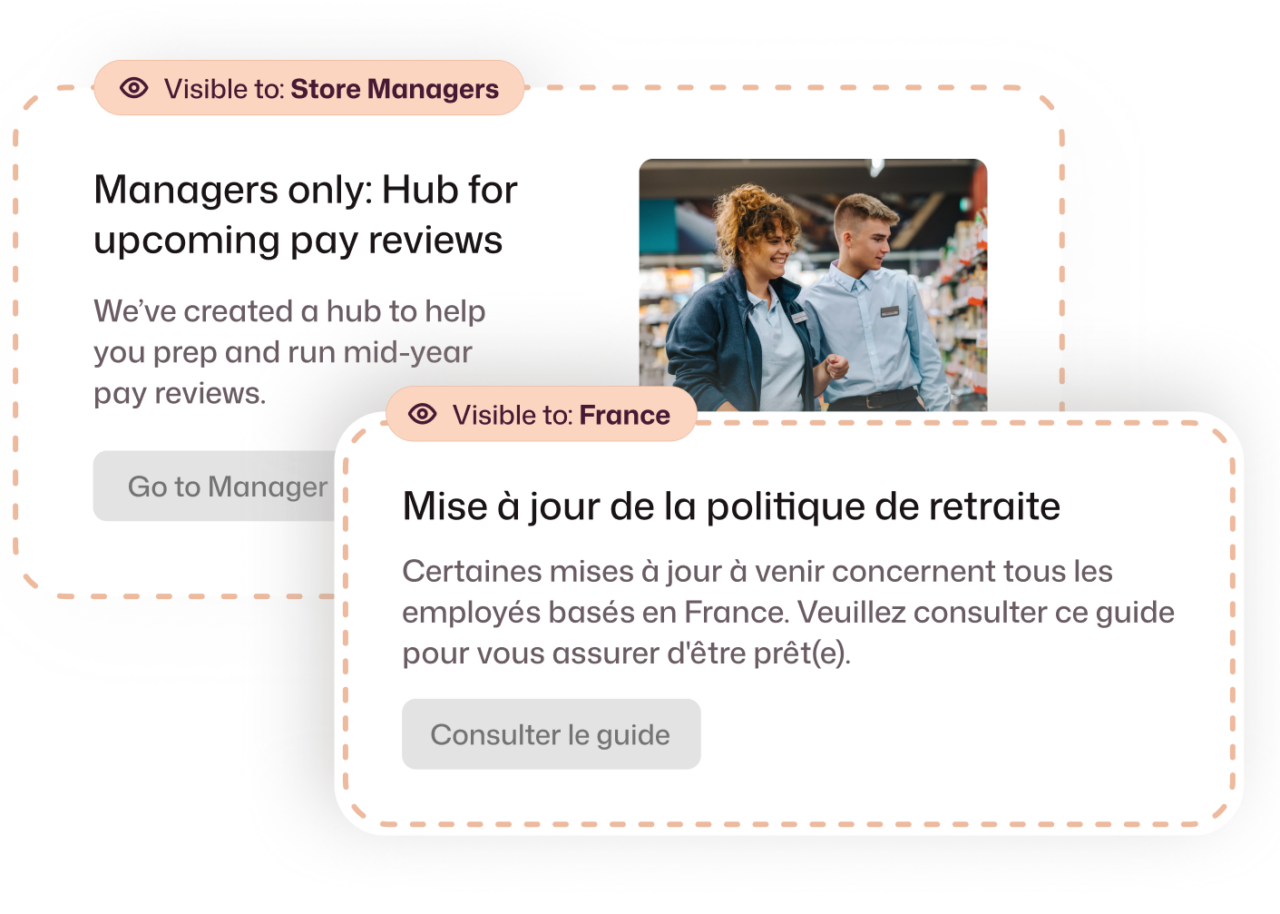
Intelligent recommendations that learn from role, location, and behavior to enhance the employee experience. Surface the most useful updates with Personalization Tools for tailored homepages and boost engagement with Employee Recognition.
This ensures your employee knowledge base continuously improves relevance and usability.
Governance for accurate knowledge
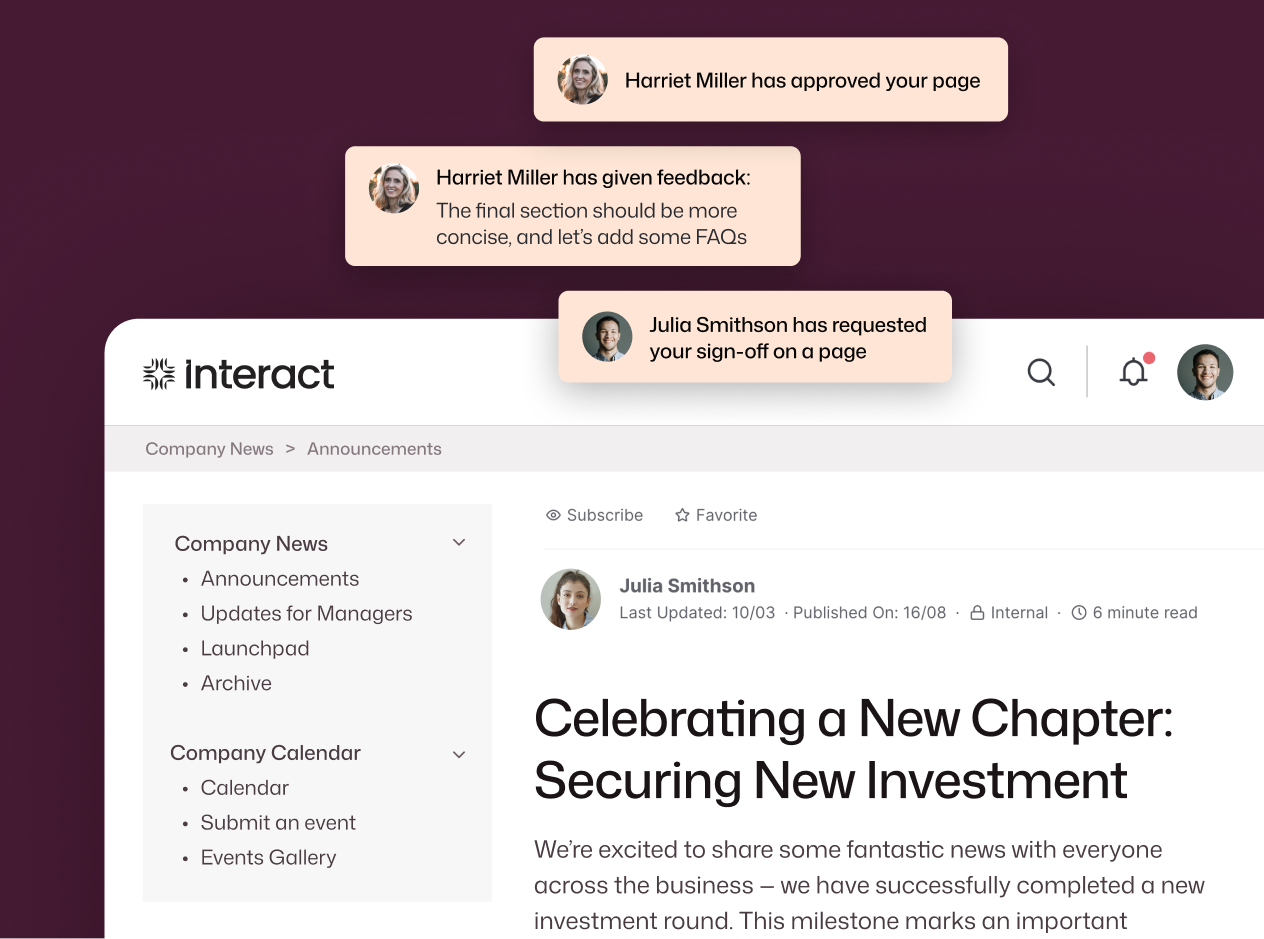
Trust is everything. Your employees deserve confidence in your messaging, and will accept nothing less. Automated review cycles and intelligent alerts ensure every answer stays current and compliant — so employees trust what they find.
Discover Intranet Governance for enterprise-grade accuracy and audits, and Privacy & Security for sensitive data protection.
Interact isn’t just a knowledge base, it’s the foundation of your data
When knowledge lives everywhere, it’s stored nowhere: employees waste time searching and trust in the system erodes. Interact centralizes everything so that HR, Internal Comms and IT can deliver the answers your workforce needs.
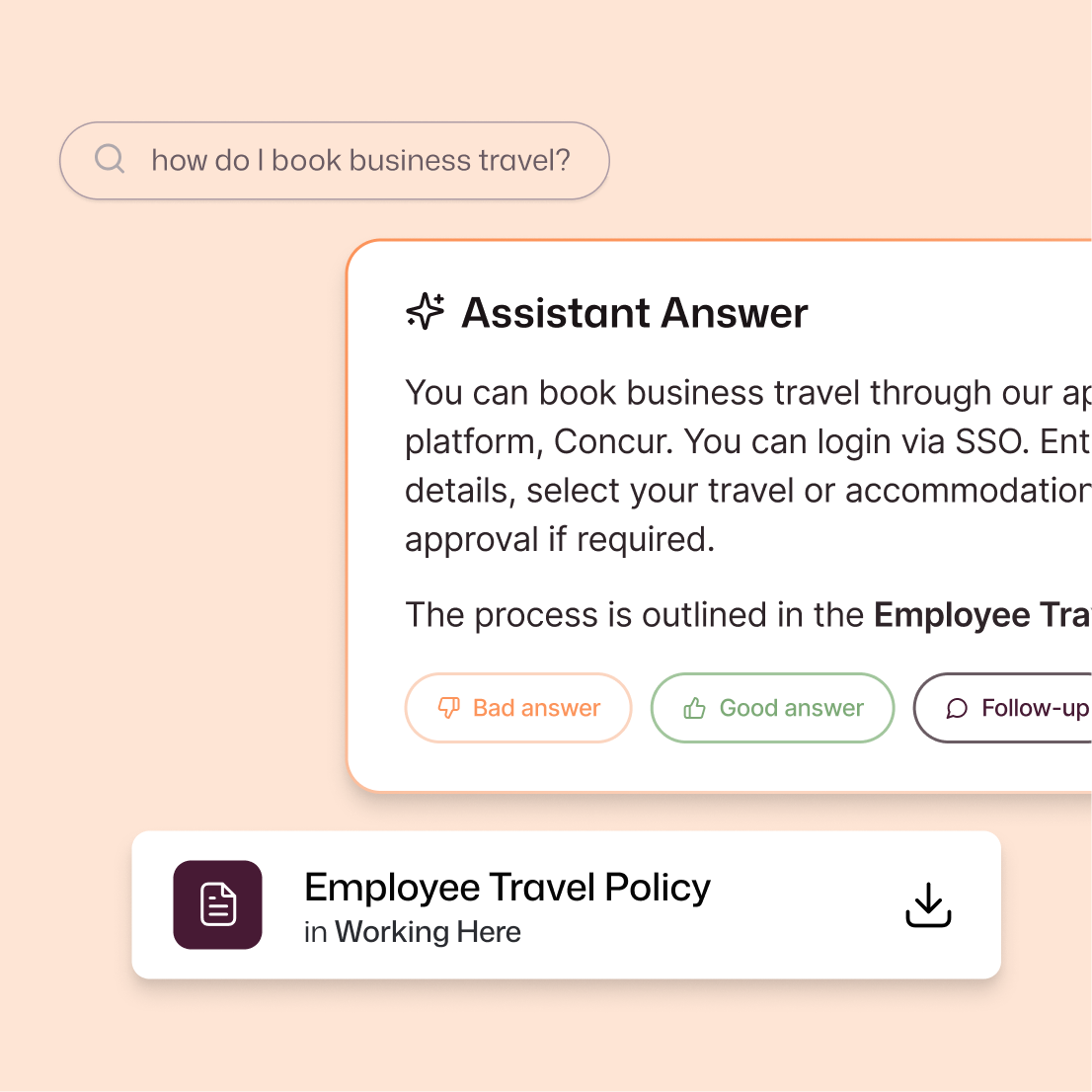
HR leaders
Keep every policy and onboarding resource in one place, so employees never have to ask twice, resulting in faster onboarding and an employee experience that drives positivity.
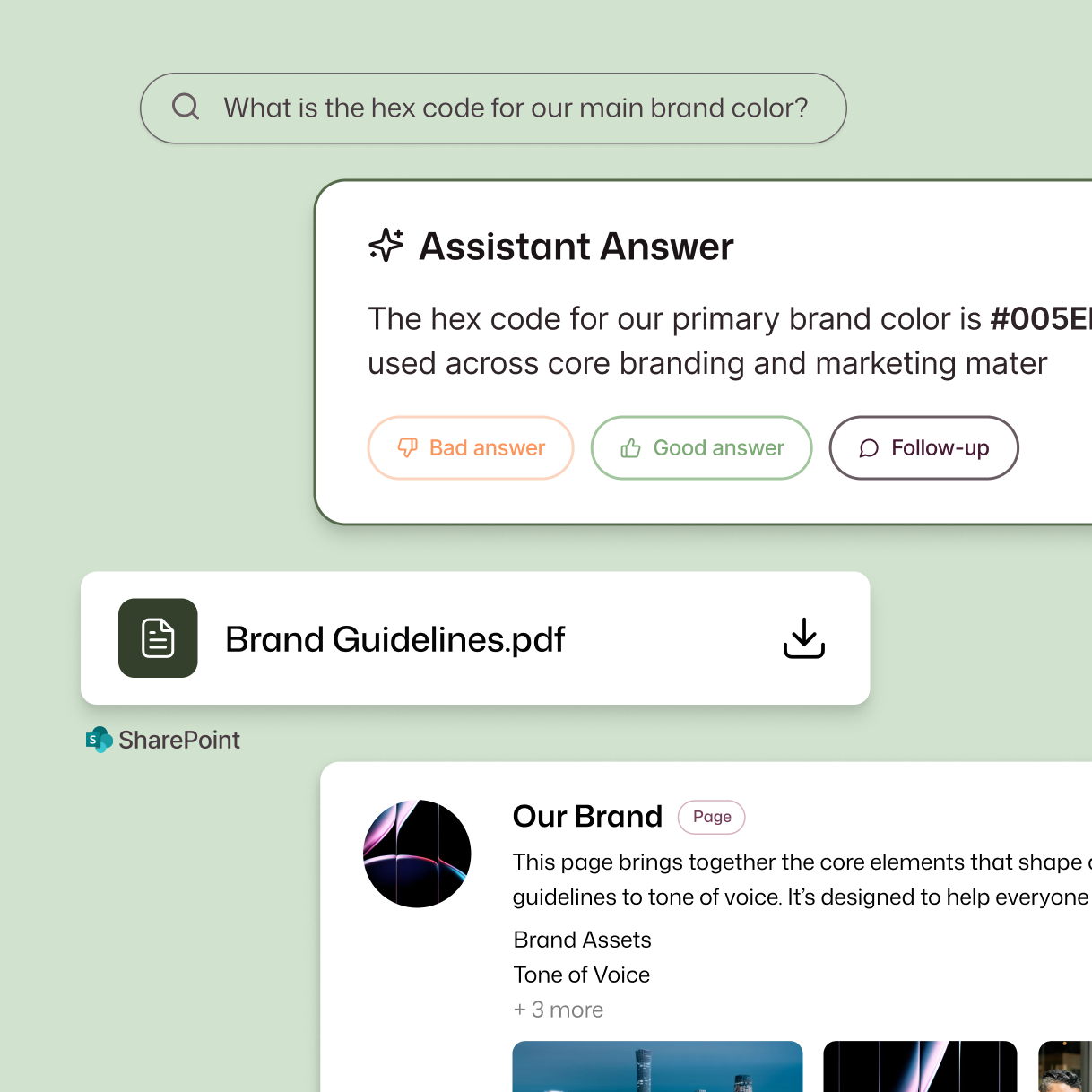
Internal Comms
Centralize leadership updates, campaign assets, and global announcements, so every message is consistent, easy to find, and clear, leading to fewer missed updates.
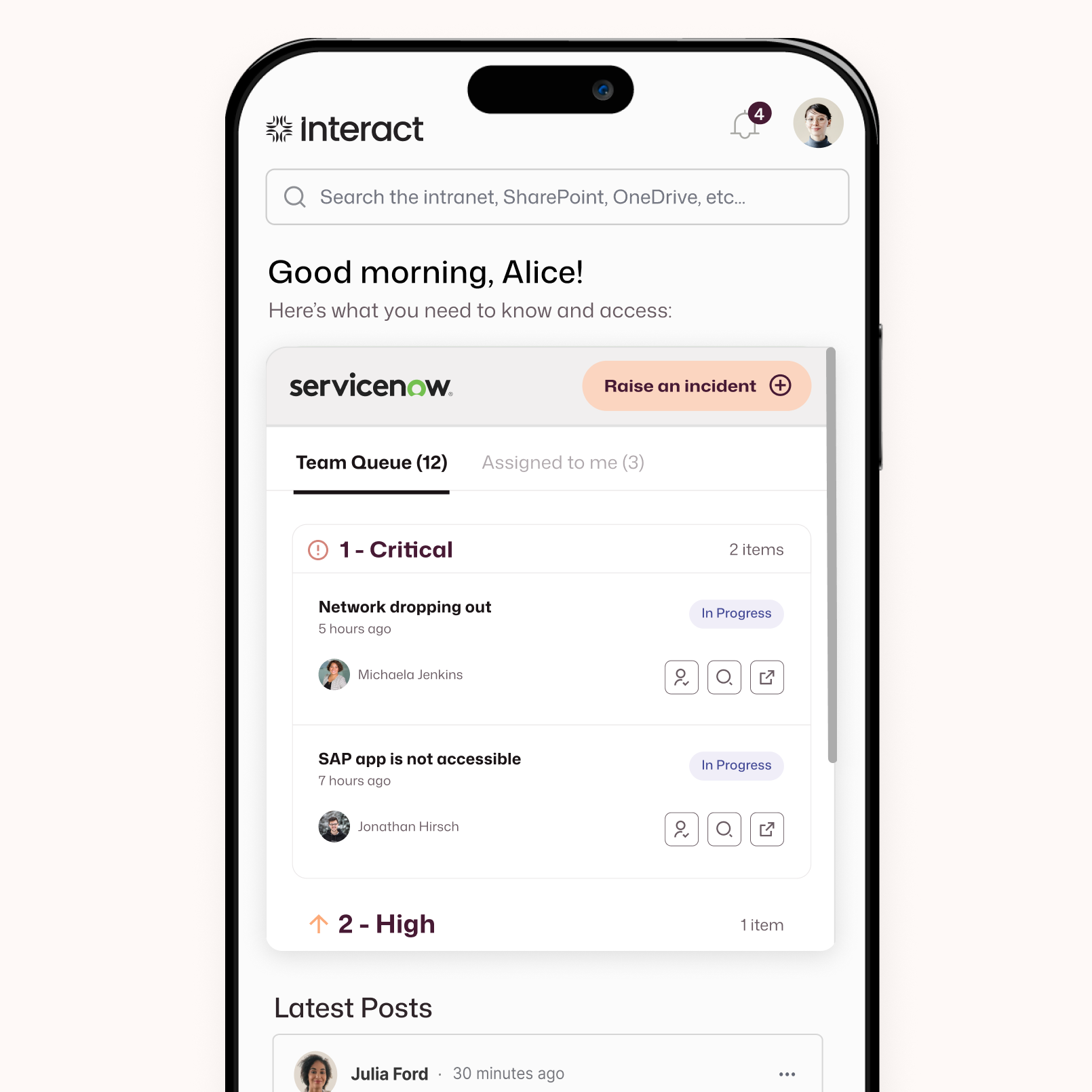
IT leaders
Resolve issues at pace. With troubleshooting guides, security protocols, and integration with ServiceNow, employees get instant answers from your knowledge base.






FAQs
How does Interact make finding the answers you need easy?
Interact centralizes your company knowledge, connects with the tools you already use, and uses intelligent automation to deliver instant, trusted answers — so employees spend less time searching and more time doing with an employee knowledge base.
What integrations does Interact’s knowledge base support?
Interact connects with SharePoint, Google Drive, Dropbox, Confluence, and other enterprise systems to eliminate duplicate content and ensure accuracy across your enterprise knowledge management system.
How do you measure ROI for an Employee Knowledge Base?
Industry benchmarks show organizations can reduce onboarding time by up to 40% and cut support tickets by around 30% when employees have instant access to accurate information. Track metrics like onboarding speed, ticket deflection, search success rate, and time-to-answer for a clear idea of the value from your investment.
How does personalization improve intranet adoption?
Personalization encourages employees to see content as more relevant to them. Intelligent recommendations surface content based on role, location, and interests so every user sees what matters most. This tailored experience drives engagement and ensures the intranet becomes a go-to resource, not just another tool.
What security measures protect sensitive content?
Federated access across systems ensure only authorized employees access sensitive information.
How does governance keep knowledge accurate?
Automated reviews and intelligent alerts flag outdated content, enforce compliance, and maintain trust across the organization.
What best practices ensure a successful Knowledge Base rollout?
Start by defining clear ownership and accountability within your Knowledge Base. Schedule regular content reviews to maintain accuracy, use federated search to deliver precise answers, apply intelligent recommendations to keep information fresh and relevant. With this strategy, your Knowledge Base quickly becomes the go-to source for employee answers.